Networking & Wi-Fi Installation Across North Georgia
The router your ISP handed you is not a network. It's a checkbox. If your Wi-Fi drops in the basement, your video calls freeze in the bonus room, or every smart bulb shows up on the same flat network as your work laptop, you need actual infrastructure.
I design and install real networks across North Georgia and the greater Atlanta metro, mostly on Ubiquiti UniFi: enterprise-grade tools without a recurring license fee. Coverage is measured, not guessed.
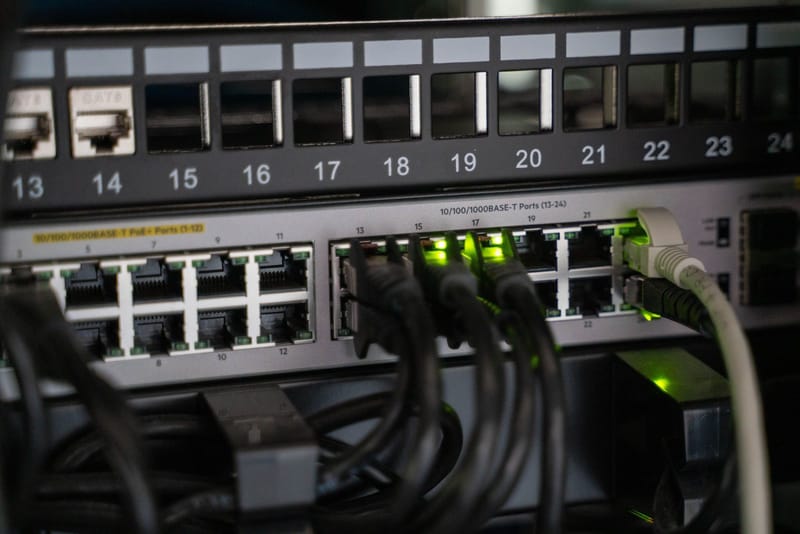
From cabling to a network that just works.
Structured cabling
- Cat6 / Cat6A runs, terminations, patch panels
- New-construction and remodel prewire
- Retrofit fishing in finished walls
- Every run tested and labeled
Whole-home Wi-Fi
- Coverage survey and AP placement design
- Ceiling-mounted PoE access points, wired backhaul
- One network name, seamless roaming
- Outdoor APs for patios, pools, and garages
Security & segmentation
- VLANs separating work, IoT, cameras, and guests
- Guest Wi-Fi with client isolation
- Firewall rules that match how you live
- Parental controls without a subscription
Smart home
- Home Assistant setup, local and private
- Zigbee, Z-Wave, Matter, and Thread devices
- Automations that survive internet outages
- Cloud gadgets made reliable on their own network
Small business
- Office, retail, and shop networks
- VLANs for POS, staff, guest, and VoIP
- Rack cleanup and documentation
- Enterprise capability without enterprise licensing
Troubleshooting & rescues
- Dead-zone diagnosis and slow-speed audits
- Double-NAT and VPN breakage fixes
- Half-working DIY mesh rescued or replaced
- Networks that "used to work" made to work again
Real access points, wired back to the rack.
Mesh satellites relay your traffic over the air, sharing bandwidth with the very devices they serve, and plug-in extenders cut throughput roughly in half by design. A wired access point gets its own dedicated gigabit link, so every room performs like you're standing next to the router.
- Measured coverage. AP count and placement come from a survey of your walls and layout, not a guess.
- No double-NAT. The ISP box stops fighting your VPN, gaming, and remote access.
- Scales cleanly. Add a camera, an outdoor AP, or a VLAN later without replacing anything.
- Zero license fees. The controller, insights, and updates are included with the hardware.
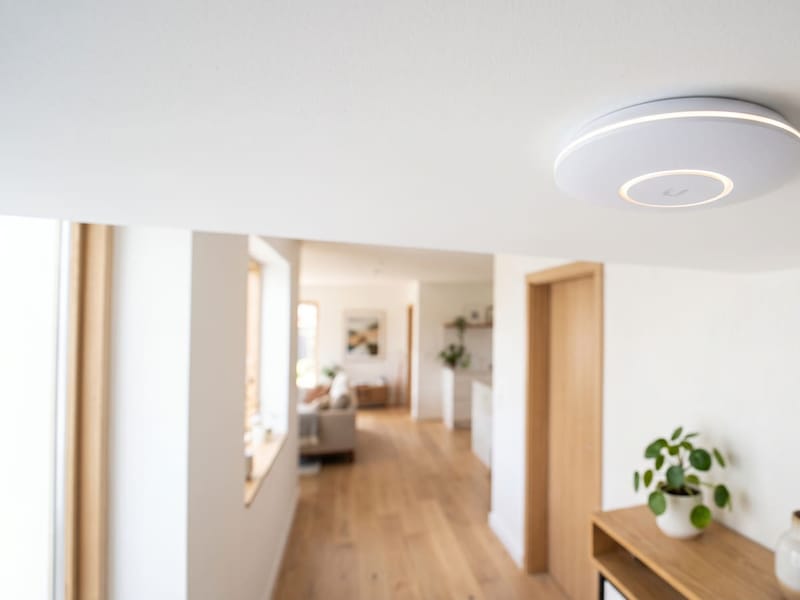
Video calls that don't drop when the kids stream.
A modern house quietly runs forty to eighty connected devices, and the classic trouble spot is the office over the garage: the farthest point from wherever the ISP parked its router. One access point on a Cat6 run ends the frozen-screen apologies.
Segmentation does the rest. Your work laptop, the kids' devices, the cameras, and fifty smart gadgets each live on their own network, so a compromised smart plug can't reach your files and a 4K stream can't stutter your sales call.

From first call to finished work.
Free assessment
A walk through the property: floor plan, construction materials, device count, and where things struggle today. Ends with a written proposal.
Design
AP placement plan, cable-run map, and segmentation plan. You see exactly what you're paying for and why each piece is there.
Installation
Runs pulled and terminated, APs mounted, gateway and VLANs configured. Clean, labeled, and photographed.
Verify & handoff
Speed tests in every room, roaming checks, then a walkthrough of the dashboard plus documentation and credentials that belong to you.
Frequently asked questions
Do I need to run new cable, or can you improve what I have?
Both work. Many installs use existing coax or Ethernet pathways. New runs are only needed when the existing cabling can't carry the required speed or PoE power.
How many access points does my house need?
Roughly one per 1,000-1,600 square feet, but layout, wall materials, and device count matter more than square footage. A typical 3,500 square foot two-story lands at two or three well-placed APs. That's exactly what the free survey determines.
Why UniFi instead of consumer mesh?
Consumer mesh is fine for small spaces but gets unreliable as you add devices, and features like parental controls increasingly hide behind subscriptions. UniFi gives you real per-device control, proper VLANs, and a dashboard that tells you what's actually happening. No subscription fees.
Should I run Cat6 or Cat6A?
Both handle gigabit and beyond today. Cat6A carries 10 gigabit the full 100 meters and costs only slightly more in materials, and since in-wall cable lives 15-20 years while labor is the real cost, open walls usually get Cat6A for the headroom.
What is a VLAN and why would a homeowner want one?
A VLAN splits one physical network into isolated virtual ones. Smart gadgets and cameras are the weakest security link in most homes; on their own VLAN, a compromised device can't reach your work laptop or family photos. Consumer routers generally can't do this.
Why is my Wi-Fi slow when I pay for gigabit?
Wi-Fi speed and plan speed are different things. Router placement, distance and walls, extenders halving bandwidth, and ISP gateway limits are the usual culprits. A proper multi-AP design delivers near-plan speeds in every room instead of just one.
Can you integrate my smart-home gear on the same network?
Yes. I'll usually put IoT devices on their own VLAN so a compromised smart bulb can't reach your work laptop or cameras, and set up Home Assistant if you want automations that run locally and keep working when the internet doesn't.
Can I access my network remotely?
Yes, via a secure tunnel (Cloudflare Tunnel, Tailscale, WireGuard) rather than exposing management ports to the public internet.
Based in Canton, GA, wiring homes and offices across North Georgia and the greater Atlanta metro — Woodstock, Alpharetta, Marietta, Gainesville, Cartersville, and anywhere within about an hour.